There isn’t enough life on this ice cube to fill a space cruiser.

NEW Year – NEW focus.

And a New Years Resolution: get a demo on Steam.

We’ve been stuck indoors with bone chilling temps outside, so its led to a lot of cabin fever, very little dev time and short tempers. Not to mention a case of shingles that left me sore and irritable. What kept me going was a nice big batch of home brewed ales and the promise that school would resume. It hasn’t helped that with this horrific weather, my hibernation reflex has kicked in, making my usual early mornings tougher than ever to face.

BUT – what dev time I have been granted has been spent figuring out things that DON’T work. Yay.

I’ve determined that my old way of animating my character is less problematic than using Anima 2D. Booper would keep moving (and animating) even when the player would stop pressing any input. A lot of times animation events wouldn’t trigger. And for unknown reasons, the speed would ramp up. Or stop. Yay.

I’ve also determined that whatever method I try to get footsteps / different surfaces I just cannot get the concept of quicksand to work on a game level. I’ve tried putting colliders on Booper’s feet, I’ve tried raycasting – neither seem to work. Yay.

its even bigger close up

So, I’m scrapping the level beyond the Socks Quest Castle in favor of a mechanic that does work – my ‘kaboing’ that is inside the caves. I had this flower-esque level I sculpted in Oculus Medium floating around, moved my Bad Plants to the various platforms and started adding ‘kaboings’ to them.

Here is a sample of gameplay – ignore the little cubes when he lands, those are placeholders for his landing spots, easy to see; easy to move:

One of the ‘mechanics’ people seemed to love at GDEX was the ‘whoa’ feeling from making a big jump off the giant steps leading to the clock and this (hopefully) will add more to that feeling.

“We can rebuild him. We have the technology. We can make him better than he was. Better, stronger, faster.”


I’ve started to reach some functional limitations using Spriter Pro and my character animations. It seems that every time I try to insert new sprites; namely, I want to add different faces for different clips, it does weird things. Like make my faces fly off.

So, in my quest to make things as best as I can, I was scanning the Game Development Resources list and came across Anima 2D. After a bit of reading and watching some tutorials, I decided to give it a try and see if I could get a bit more out of my admittedly basic player sprite.

I was thrilled that I could take my simple ‘stick-like’ arms and legs and bend them. I was even more thrilled that I could swap out sprites at runtime and change faces. I could add bones to the faces and animate those. I’ve always loved the blink I added, and now happy smiles and worried face are added in. Next will be a ‘Machinarium’ styled thinking, when the character idles too long.

adding vertices to a sprite

Not to say it doesn’t have its difficulties. I’ve been trying to work out why my jump animation plays twice when he jumps. Or why it seems that FPS in animation doesn’t quite sync time-wise to actual game time. But, I am getting there – just got things working with adding the animation events for footsteps back in and left / right animations are next.


Introducing…

My new intern! Please welcome A Little Cartoonie as part of the Booper team!

When I was exhibiting at GDEX, a college student was impressed with the game and very bluntly asked, “Do you need an intern?”

I wasn’t sure – DID I need an intern? In the blur that was the conference, I asked for a business card and said I would think about it. And of course, promptly forgot with the excitement of the expo and getting right back into the cyclone of daddy dev days (not to mention the added stress of getting our attic renovated and dealing with contractors)

During a frantic cleanup session, I came across the paperwork I had collected during GDEX. In it was a stack of business cards I had collected – and a flood of memories came back. Including an offer I had yet to think about. So, I dug into Cartoonie’s portfolio and was impressed. Good 3D modelling skills, draws waaaay better than I did when I was that age. Decent illustration chops.

So , I decided to see if that offer was still on the table.
After a bit of back and forth on Facebook, we quickly determined that this is a ‘for experience & portfolio pieces’ type internship – but as soon as I get any funding, I’ll pay for any work done. Right now its exciting because I offered a challenge:  make a 3D model out the drawing above and send me a model.

Well the model came back and its impressive – Cartoonie did a bang up job putting in details I would have ignored. And offered to texture it over the weekend. I’m impatiently waiting to see what comes back.

https://sketchfab.com/models/99a0ac64f874451498270a7d07a8a48e

In the meantime, check out some work done by our newest member!

Instagram

Website / Portfolio


‘He’s dead, Jim’

Well, I think I’m finally coming to the conclusion that it was my RX 480 that was causing my woes lately. Numerous times I’d try to update drivers only to get a bluescreen caused by ‘Atimdag.sys’ – or they’d install and my Vive would suddenly take over as the main monitor. Or they’d install and I would get nothing but black screen upon reboot. I got a really helpful chap on reddit, who sorted out a whole bunch of issues and for a bit everything seemed to work – until EVERYTHING started strobing like I was in a 70’s disco – then a (thought this was a bit of made up fluff, until I saw it) real life Snow Crash.

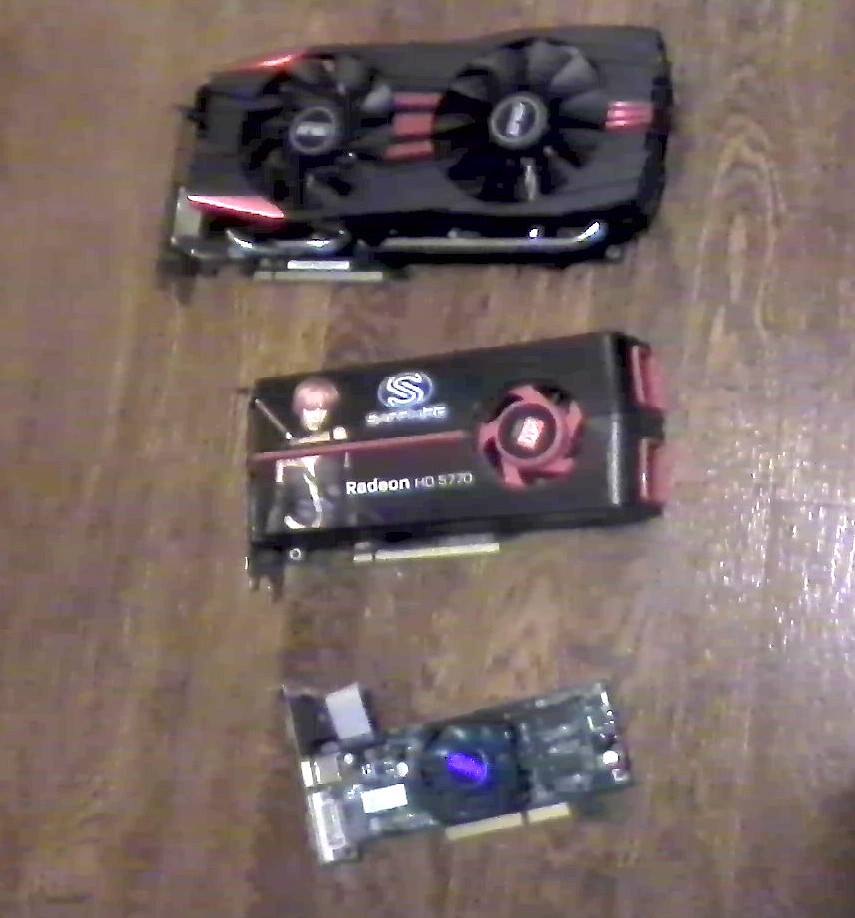
Nothing I did could get the darn thing to stop flashing (even on boot up, so it wasn’t a driver issue) so I yanked it and pulled out my old R9 280 from the wifeys computer – and ye gods I thought I’d never have to wrestle with THAT beast ever again – and GUESS WHAT?? It just works. Drivers picked it right up, its a little slow in VR and some programs like Oculus Medium show some banding / artifacting, but its working just fine.

R9 280 compared to previous cards

Now that THAT is dealt with – time to get back to work AND go shopping for a new card, one that has at least 2 HDMI ports and not so many Displayports.

One thing I’ve been tinkering with: Post Processing Stack – particularly the Depth of Field. Done right, it really gives the level a tilt-shit photography look, ie: everything looks small. I really feel it adds a ‘look’ that compliments the game, since its based on a child and their perspective, I know that kids have a narrower field of focus, which is why when you are scrambling to get their shoes on because you’re running late for school drop off – THEY are focused solely on THAT ONE TOY WHO CAN’T BE LEFT BEHIND.

I’ll eventually get the proper focus, right now its very shallow and I’d like more distant objects to be blurred out. But I’m also focused on a new NPC / prop – THE TANK:

ready to wreak havoc!

I made it on a whim, just to test my Inkscape / Blender skills and it worked out quite nicely. The turret rotates to face the player and I can slap one of my moster / bee AI routines that I made in Playmaker for movement / attacking the player. The wife did express some concerns regarding the violence and shooting parts – which, I’m also concerned about. What message do I want to convey in a ‘kids’ game?

The answer came from the hivemind: I posted the screenshot on Facebook and my dear friend Angela from NYC said:

‘Because it typically represents violence?
If so, have it shoot rainbows, chocolate kisses, happy emojis, or paint.
‘

Looks like I have more work to do.

Taking in what I heard

Since GDEX, I’ve been trying to implement some of the suggestions that people gave me during the course of their play sessions. One of the ones that had stuck was people mentioning the style of the terrain didn’t quite match that art style of the props and characters. Since my son  drew most everything in crayon, it seemed natural to make the terrain look like it was colored in crayon as well.

The trick is how to make it look that way.

I tried a number of Photoshop and Krita filters and combinations of filters and layers to try and approximate a crayon look. Which looked pretty lame, in the end. Most of them had a very fake, algorithm digital plastic feel. Trying to do it by hand with crayon or pastel brushes in Photoshop would take a long time. Almost wish I could unwrap the mesh and have the kids color it.

Then I realized I could.

UV’s from the hilly part of the level

I realized that if I exported the UV’s from Blender, opened it in Photoshop, used the wand tool to select the empty area around the UV islands, expand the selection, invert and clear – I had a pretty good outline that I could color with Prismacolor pencils, sharpened to a fine point and scanned back in, would look like crayon.

The above video gives a pretty good idea of where this is going – after asking folk online, it seems the crayon concept agrees with a lot of people. When I started adding effects from the Post Processing Stack (vignette and Depth of Field) its starting to give the whole game a brand new look and feel – more on that in the future.